Turning legacy designs into a scalable system
At ValueLink Software, I was working with a large volume of legacy designs that were not connected to any design system. My team and I had only recently introduced a design system, and it was still evolving. This created a major challenge. Every time we needed to update old screens or build new features, we had to manually fix inconsistencies across files.
This process was slow, repetitive, and difficult to scale. It also introduced risk, since designs could easily drift away from the system over time.
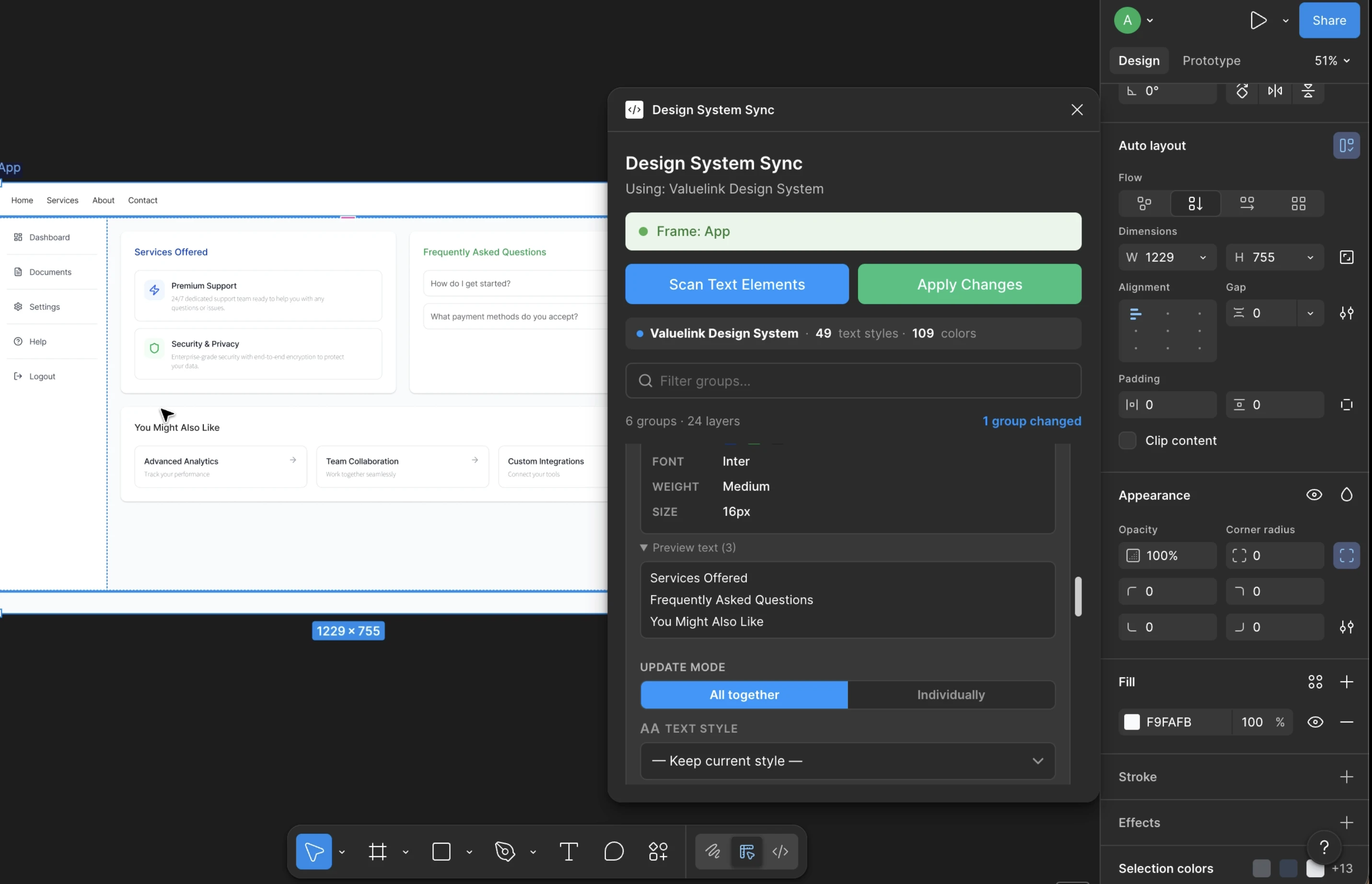
I built a Figma plugin using Claude Code to solve this problem by enabling dynamic, bulk application of design tokens and variables directly to selected frames.
Identifying the gap in existing tools
Before building my solution, I explored existing Figma plugins like Design Lint and text or color replacement tools.
These tools approach the problem at a surface level. They extract every individual text layer and color from a page, often resulting in 30 or more items. Designers then have to manually reassign each one.
Even after that effort, the layers are not actually connected to the design system. They are only visually restyled. This means the problem persists, especially when designs need to evolve.
I realized that the core issue was not just styling. It was the lack of structural understanding.
The Core Problem
Existing tools lacked structural understanding. They treated designs as flat lists of layers rather than semantic systems with hierarchy and intent.
Reframing design as a semantic system
I approached the problem differently by thinking about how design actually works.
Designs are not random collections of layers. Every screen can be broken down into sections, and each section follows a predictable hierarchy. For example, cards often have headers, descriptions, and metadata. Navigation sections follow consistent patterns. These structures repeat across screens.
If I could define the semantic structure of one section, the same logic should apply to similar sections across the file.
This insight became the foundation of my solution.
Building an intelligent grouping system
I designed the plugin to go beyond layer-level manipulation.
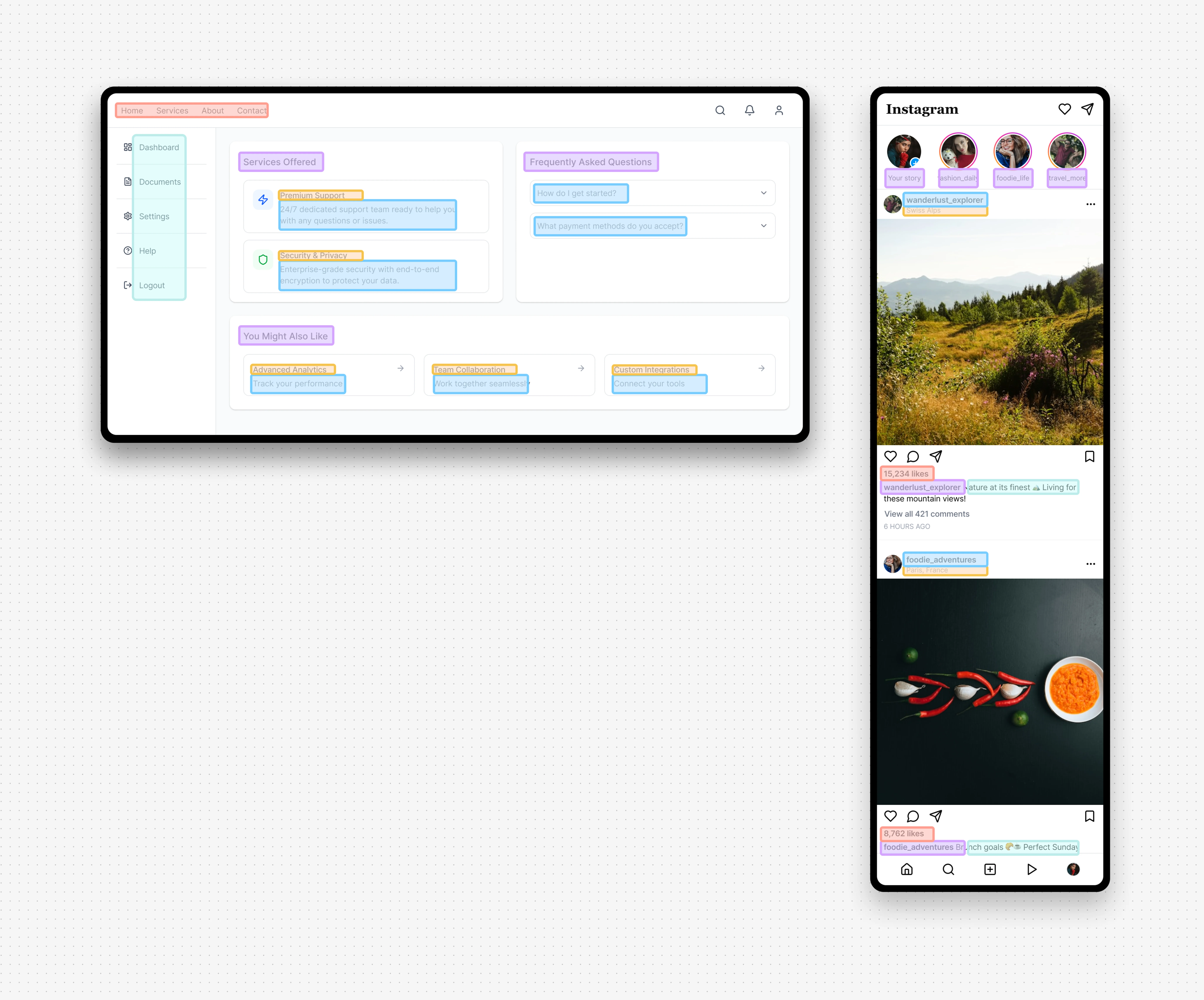
The plugin takes a visual snapshot of a selected frame and uses the Anthropic API to perform a semantic evaluation of the design. Instead of listing individual layers, it understands context and groups elements based on their function.
For example, it can recognize that certain text layers positioned at the top of cards are acting as headers. It then groups them under meaningful categories like Card Headers, Navigation Items, or Card Descriptions etc.
This transforms the experience from managing dozens of disconnected layers to working with structured, functional groups.
Connecting directly to the design system
A key part of the solution was ensuring that updates were not just visual but systemic.
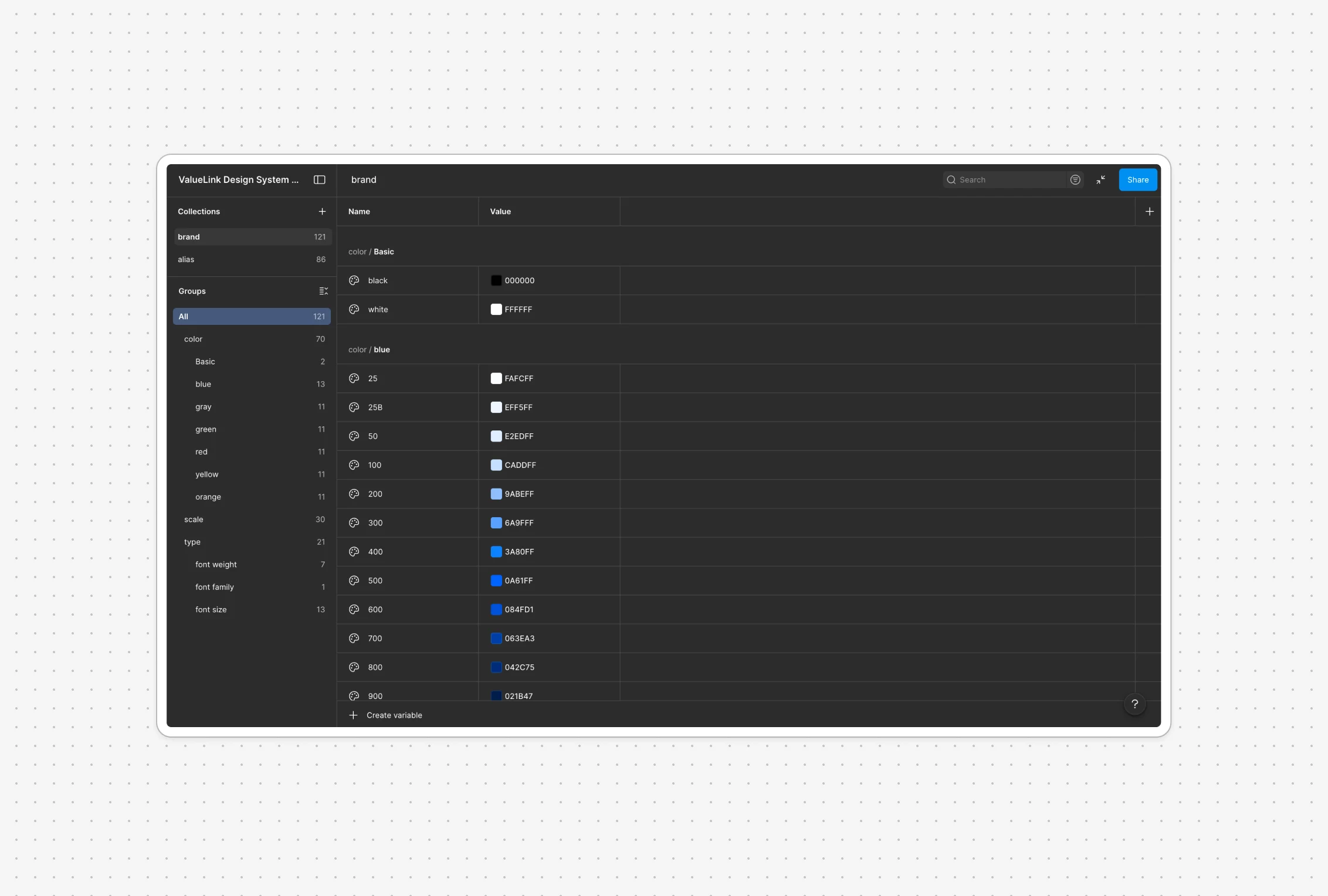
The plugin reads the actual design system tokens and variables from Figma and presents them as options within the interface. When I apply a token to a group, all associated layers are updated and bound to that token.
This means the layers are no longer using hardcoded styles. They are fully connected to the design system, making future updates seamless and consistent.
Enabling bulk updates at scale
Instead of fixing each layer manually, I can update an entire group in one action. Because design patterns repeat across sections, applying changes to one instance allows similar sections to follow the same structure.
This reduces hours of manual cleanup into a few clicks and ensures consistency across the entire file.
Results
Design System Migration Time
Reduced from ~4 hours per week per designer to under 10 minutes — freeing up significant time for higher-value design work.
Reduction in Manual Layer Updates
Cut manual layer-level updates by ~85–90% when applying styles across legacy designs, replacing tedious one-by-one edits with bulk group actions.
Design System Adoption in Legacy Files
Increased design system adoption across legacy files from near 0% to ~80–90% after cleanup, ensuring long-term consistency as the system evolves.
Reflecting on impact and future potential
This project reinforced an important principle for me. Design tools should not just operate on visuals but should understand structure and intent.
By introducing semantic reasoning into the workflow, I was able to bridge the gap between static designs and living design systems.
In the future, this approach could extend further into automated design system adoption, smarter component mapping, and deeper integration with design workflows.