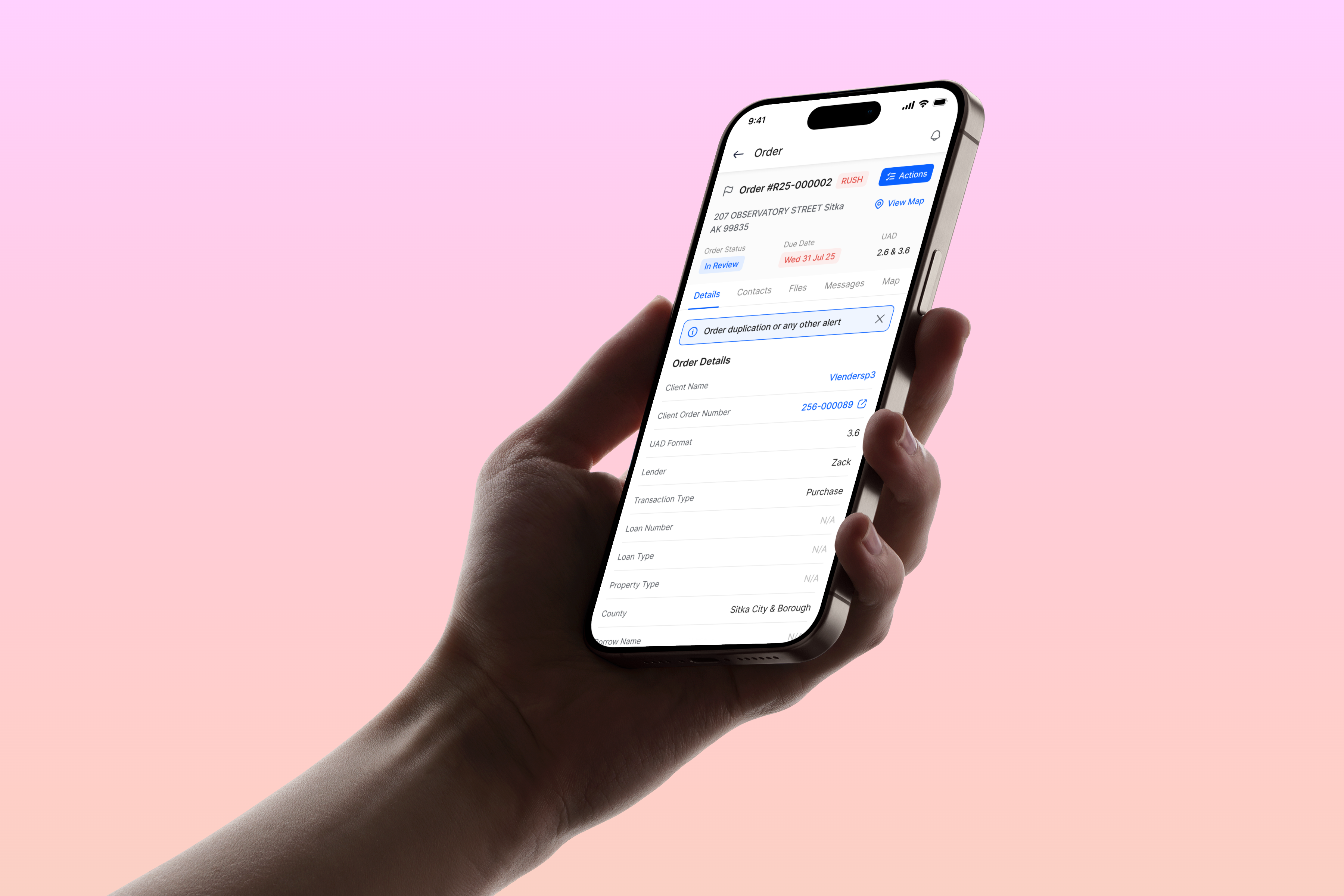

My Role
Simplifying a complex mobile app for field appraisers
Led end-to-end design for the Connect mobile app, focusing on streamlining order management workflows.
The result:
- Increased company revenue by 30% by securing new appraisers.
- Increased app downloads by 62.3%.
Context
Appraisers need simplicity, not complexity
Connect serves individual appraisers working in the appraisal management environment. These appraisers are constantly on the go, conducting property inspections, meeting with clients, and making quick judgments. They need a mobile app that gets out of the way and lets them work efficiently. However, the existing app had overly complicated flows with too many steps, making it frustrating to use despite its comprehensive feature set.
Business Need
Increase app adoption and user satisfaction by removing friction from daily workflows.
Enable appraisers to complete tasks faster, improving operational efficiency.
User Need
Quick access to order details and critical information without multiple navigation steps.
Simple, intuitive flows that don't require memorization or guesswork.
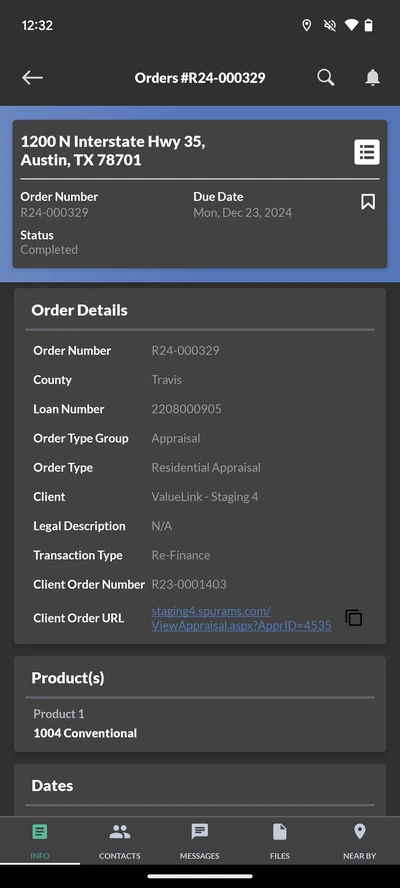
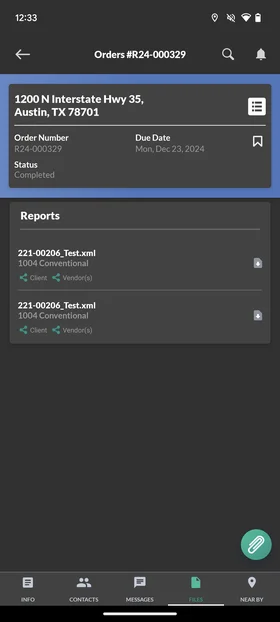
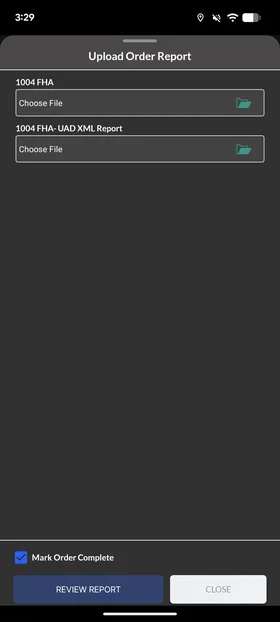
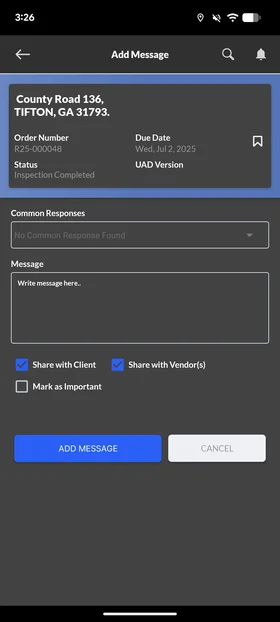
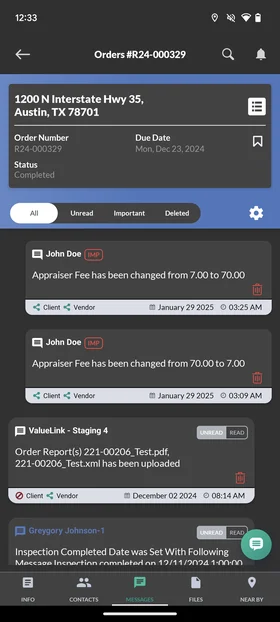
Old Designs
Some Old App Designs
These screens show the original order management experience that users found difficult to navigate.
Research
Understanding fieldwork pain points
Through user feedback and field observations, I identified the core issues: appraisers expressed that using the app makes their work easier and faster overall, but the navigation is difficult. They reported confusion about where to find information and complained about the number of steps required for common tasks.
User Behavior
- Appraisers frequently return to order lists to refresh information instead of relying on details screen.
- Multiple taps required to complete simple actions like uploading reports or viewing messages.
- Information hierarchy unclear, hard to distinguish critical details from secondary data.
User Pain Points
- Order details are fragmented across too many screens and tabs.
- Uploading reports requires navigating through unclear menu structures.
- Message and communication history is hard to access and review.
- No quick way to see what actions are required for an order.
Design
Key Improvements in Action
Play the video below to watch the redesigned order management flow in action. For further interactive play, press on the hero image at the top of the page.
Results
Impact
Increased App Downloads
Increased app downloads by 62.3%.